Add an iReport Template Definition in IMSMA
Jump to navigation
Jump to search
- In the Customisation menu → Report Template Manager.
- Click the
 button.
- The Add Report Template window displays.
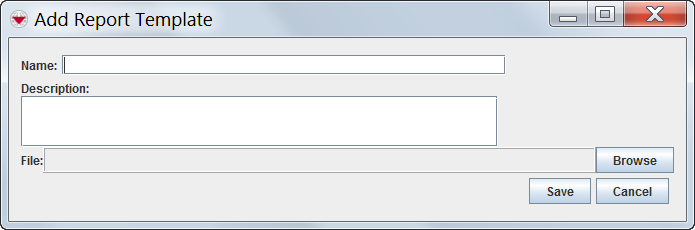
Add Report Template Window Add Report Template Window
- Enter a name for the IMSMA iReport template definition in the Name field.
- Enter a description for the IMSMA iReport template definition in the Description field.
- Select the iReport template that you would like to associate with IMSMA iReport template definition by doing the following:
- Click the Browse button.
- Navigate to the directory where the iReport .jrxml file is saved.
- Select the .jrxml file you would like to use. You do not need to include any .jasper file. IMSMANG will not be able to read a .jasper file.
- Click the Open button. The name of the .jrxml file displays in the File field.
- Click the Save button.
 |
If you select a template that has sub-reports in a different folder, you will be prompted to select the sub-report after the save button is pressed. |
| ||||||||||
Category: