View and/or Change Role Permissions
Jump to navigation
Jump to search
 |
Be careful to have the User Admin or Role Admin permissions assigned to at least one Role. If the User Admin or Role Admin permissions are not assigned to a Role, it will not be possible to add, change, or delete IMSMANG Users and Roles. |
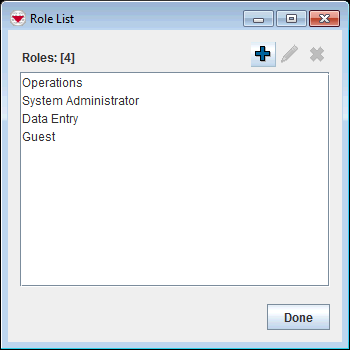
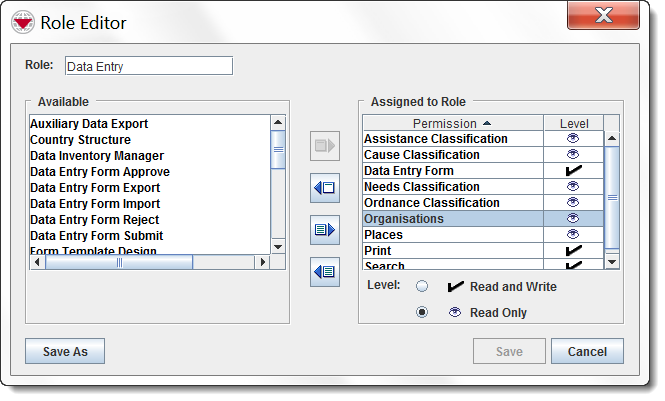
To view and/or change the permissions assigned to a Role:
- In the Accounts menu → Roles.
- Click the name of the Role that you would like to view or change.
- Click the
 button.
- Change the information as needed.
- Click the Save button.
- Please assign at least one permission to the Role.
 |
The following error message indicates that you have not assigned any permissions to the Role:
Click the OK button and assign at least one permission to the Role. |
| ||||||||||
Category: