User List Window
Jump to navigation
Jump to search
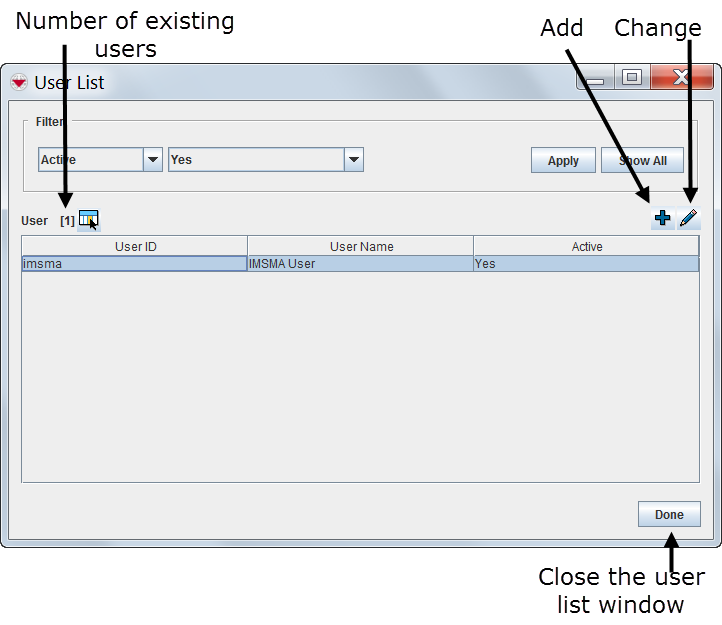
All user account changes are managed through the User List window.
In the Accounts menu → Users opens the User List window which contains IMSMANG user IDs, names, and their status.
From the User List window you can:
- Filter the users listed in the User List window.
- Select the columns that are displayed in the User List window. For more information, refer to Select Display Columns.
- Add a user. For more information, refer to Add a New User.
- Change information associated with a user. For more information, refer to View and/or Change a User.
 |
Note that the  button is only available after you have selected a user from the list. |
| ||||||||||
Category: