Deactivate a User
Jump to navigation
Jump to search
Deactivating a user prevents the user from logging into IMSMA with their user account. However, it retains the user information in IMSMA.
 |
If you decide to deactivate the default imsma user, be sure to create another user with access to the Role Admin and User Admin permissions before deactivating the imsma user. |
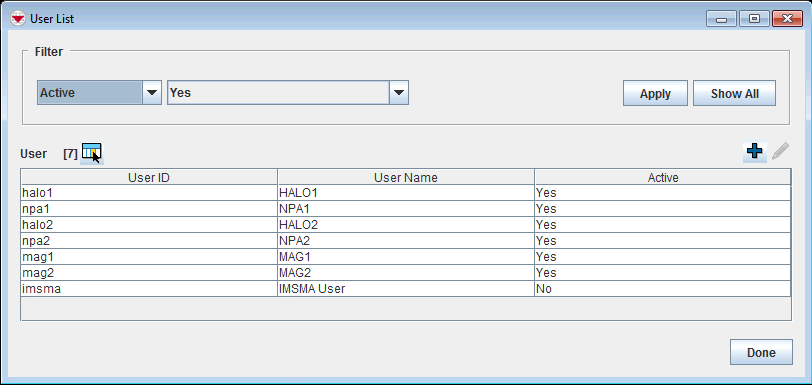
- In the Accounts menu → Users.
- Click the name of the user that you would like to deactivate.
- Click the
 button.
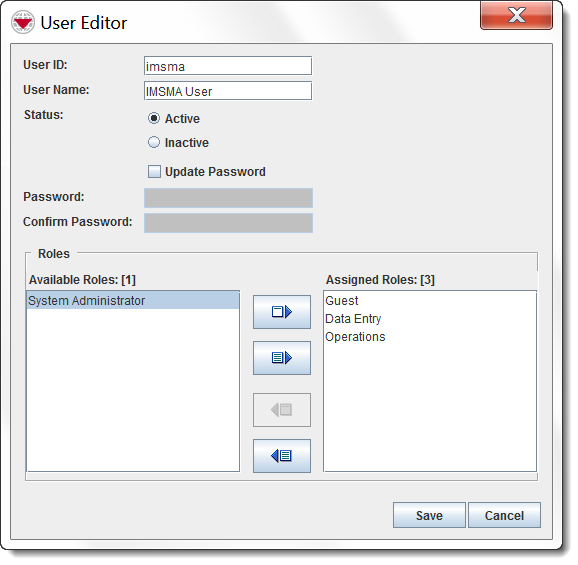
- Select the Inactive status option.
- To save the change to the user and close the User Editor window, click the Save button.
|
If you need to reactivate a user, you can do so by repeating these steps and selecting the Active option. |
| ||||||||||
Category: