Change Visible Scale Range
Jump to navigation
Jump to search
The different layers in the IMSMA.mxd have different visible scale ranges based on which type of geometry they are. If you would like change the visible scale range you need to use ArcGIS software to update IMSMA.mxd which is located in C:\IMSMAng\server\gis\maps folder.
- Open IMSMA.mxd with ArcMap and go to the group or layer you would like to change visible scale range for.
- One option is to zoom to the minimum scale where you want the layer or group to be visible.
- Right-click on the layer or group and choose Visible Scale Range.
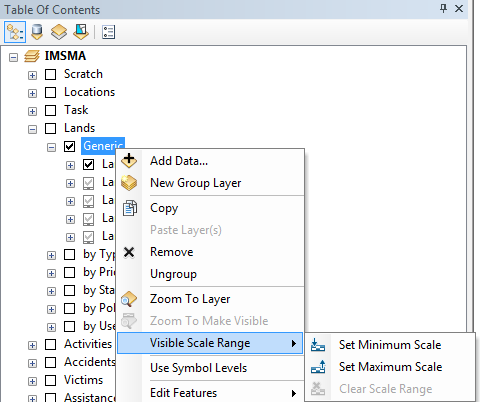
This will change the visible scale range for all layers in the group
- Select Set Minimum scale.
- Repeat for the maximum scale.
- Right-click on the layer or group and choose Visible Scale Range.
- Another option is to make one or several layers.
- Right-click on the selected layers and choose Visible Scale Range.
- Select Clear Scale Range.
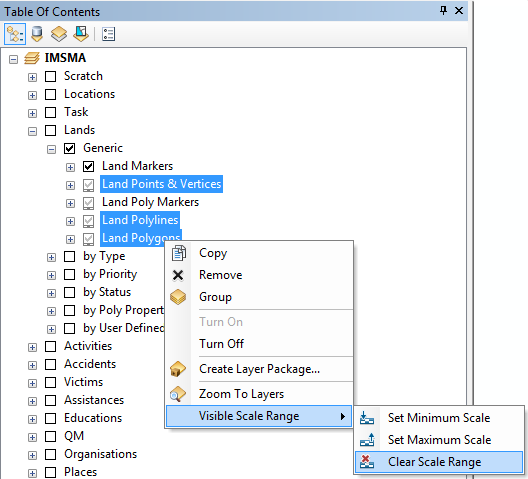
This will delete the visible scale range for the selected layers
| |||||||||||||
Category: