Search Results Window
Jump to navigation
Jump to search
Records that meet the search criteria are displayed in the Search Results window.
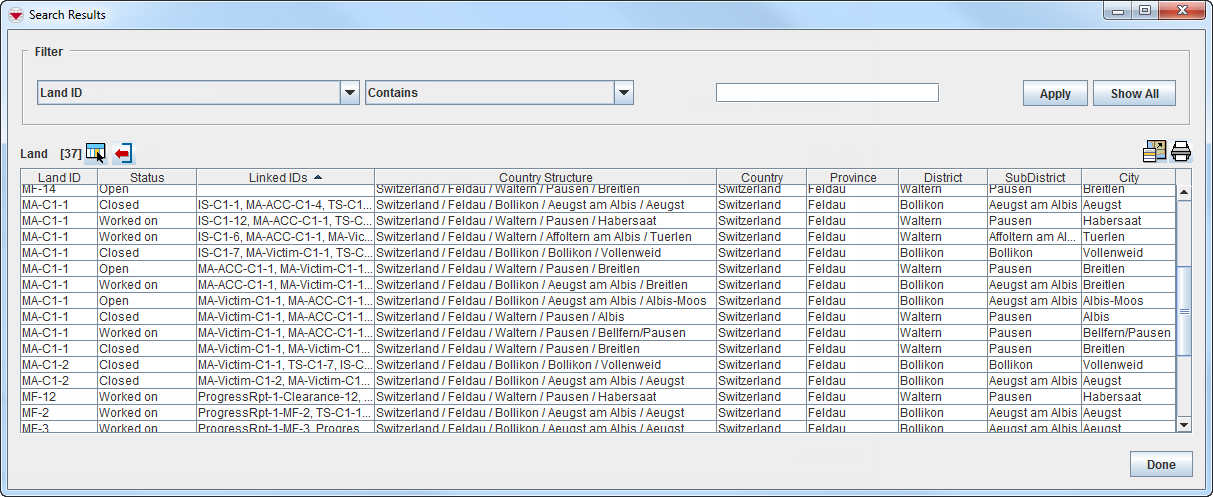
Search Results Window
From the Search Results window you can:
- Filter the results listed in the Search Results window. For more information, refer to Filter Lists.
- Select the columns that are displayed in the Search Results window. For more information, refer to Select Display Columns.
- Export the data displayed in the Search Results window. For more information, refer to Export Search Result.
- Replace icons and item records displayed in the IMSMA Navigation window. For more information refer to Replace the Icons and Item Records in the Navigation Window.
- Print the search results. For more information refer to Print Search Results.
- View the items' Summary windows including related Data Entry Forms by double-clicking on a row.
 |
The calculated column Linked IDs have been added in version 6.0. Since the column is calculated it is not possible to filter on it.
It is possible to show the Country Structure as a string Country/Province/District/Subdistrict/Town or as separate columns. |
| ||||||||||||||||
Categories: