Search Linked Items
Jump to navigation
Jump to search
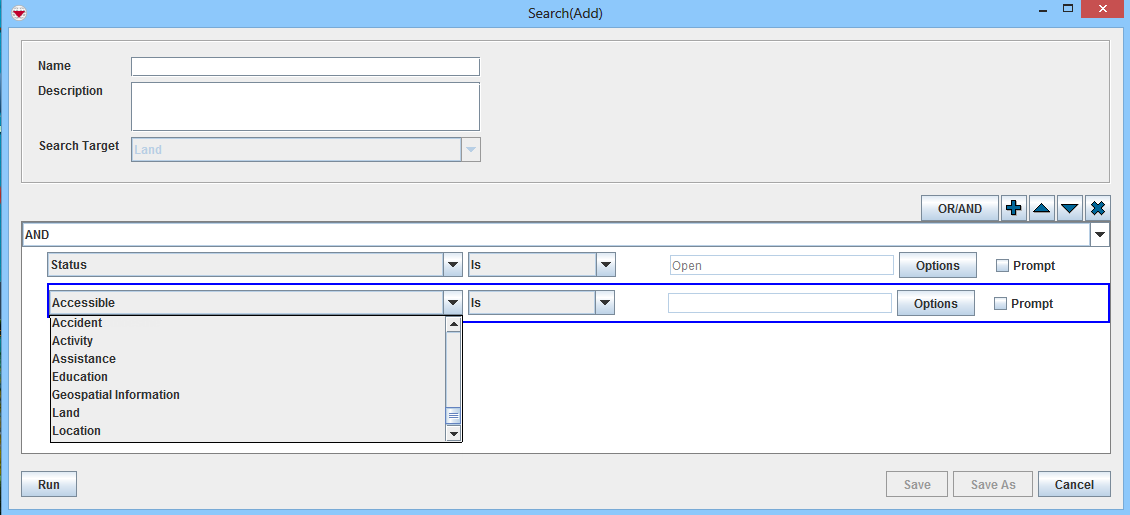
The IMSMANG Search engine supports to search for linked item as well. This example shows how to find Open Land which has Accident linked.
- Add you main search target, in this example Land
- Add search criterion for the main search target (optional). In this example status is open.
- Add one more criterion and select from the drop down list the linked item. In this example we use Accident.
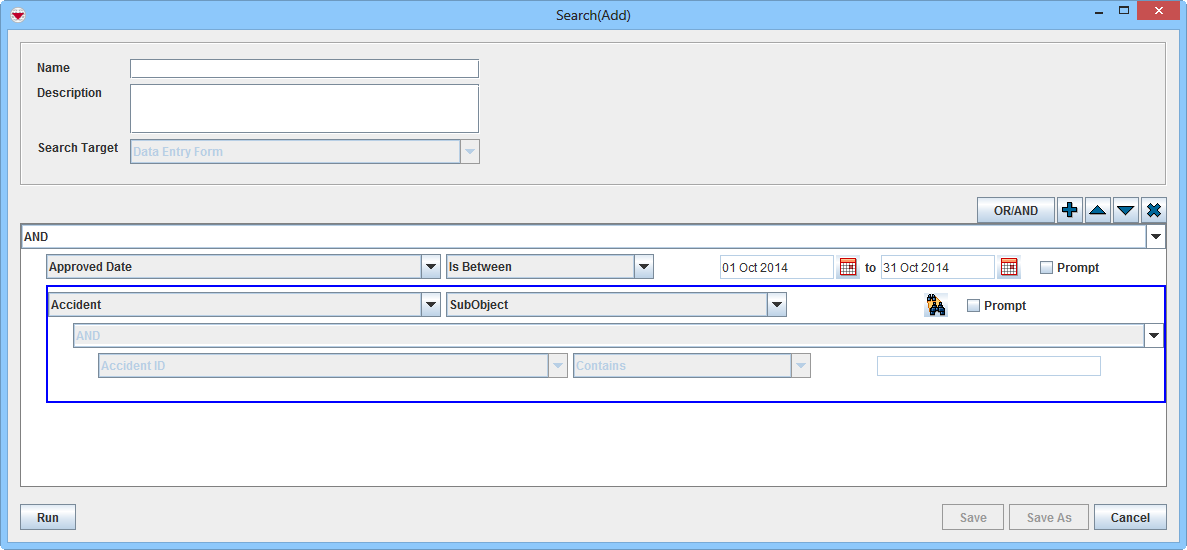
- Select an attribute for the linked item. It is recommended to use the ID and not to specify any filter value.

- Add more attributes for the linked item if you would like to filter the search result further.
When the linked item is a subobject to the main search target it is mandatory to specify a search criterion for the subobject.
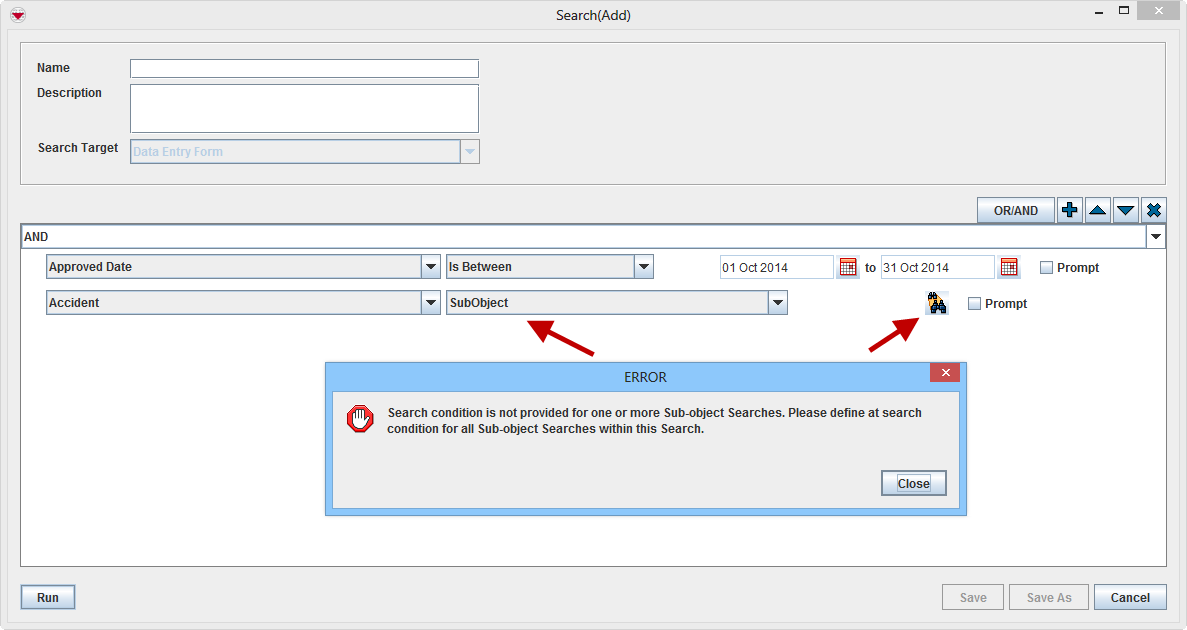
Click on the  and specify a search criterion for the subobject.
| ||||||||||||||||
Category: