Enter Given Assistance Data in the Data Entry Form
Jump to navigation
Jump to search
You will find more information about the Assistance classification here.
Given Assistance is entered in a table format (a.k.a. table widget) in the Data Entry Form.
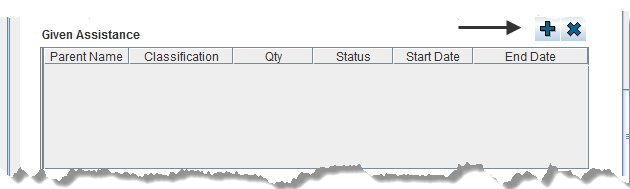
Data Entry Form Editor Window – Given Assistance Table
To enter Given Assistance data:
- Click
 to open the Assistance Classification window.
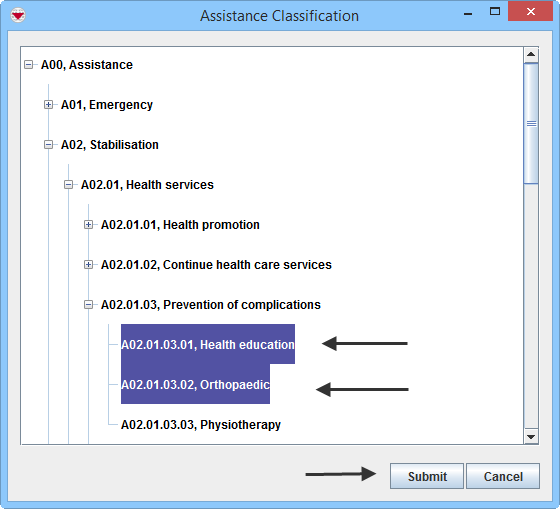
- Select one or more Given Assistance that you want to add, then click Submit.
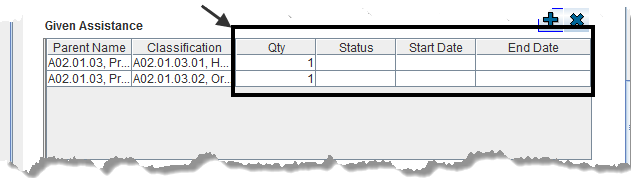
- Quality is automatically set to 1.
- Specify Status by selecting in the combo box.
- Specify Start date by selecting a data in the calender.
- Specify End date by selecting a data in the calender.
 |
If you click to add another of the same Given Assistance to the table, a separate row is created. (The quantity of the original row does not change.)
|
|
To delete a Given Assistance from your Data Entry Form, select the row and click  . |
Category: