Enter Explosive Ordnance Data in the Data Entry Form
Jump to navigation
Jump to search
You will find more information about Ordnance here.
Ordnance is entered in a table format (a.k.a. table widget) in the Data Entry Form.
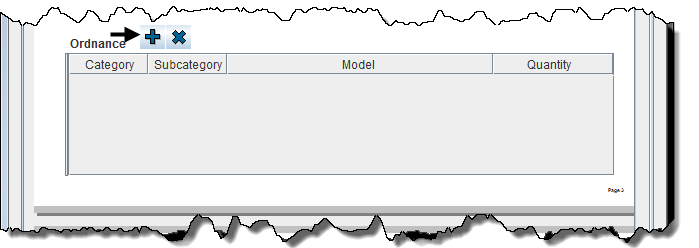
Data Entry Form Editor Window – Ordnance Table
To enter Ordnance data:
- Click
 to open the Ordnance Selection window.
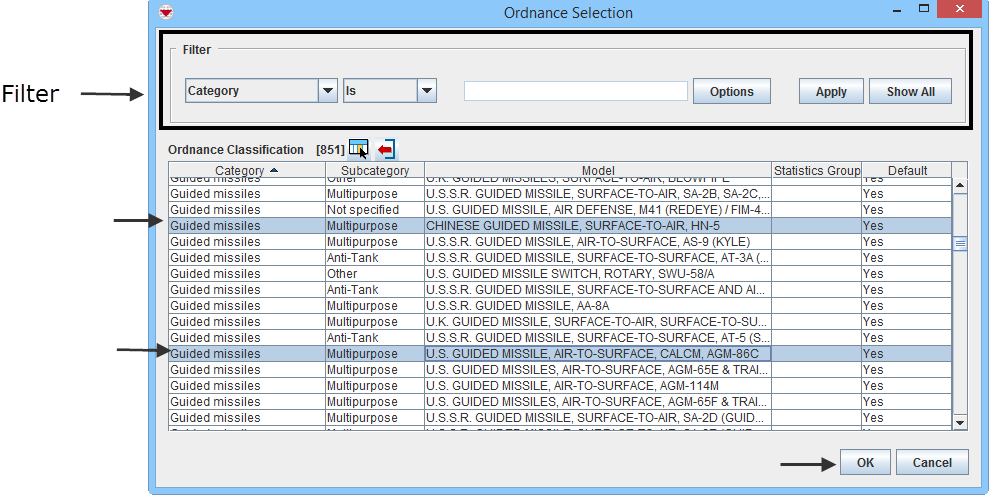
- Select one or more Ordnance that you want to add, then click OK.

If you add more than one row of the same Ordnance to the table, a separate row is created which will facilitate inventory of Ammunition storages and using CDFs in the Ordnance table. - To add a quantity, enter the value in the Quantity column.
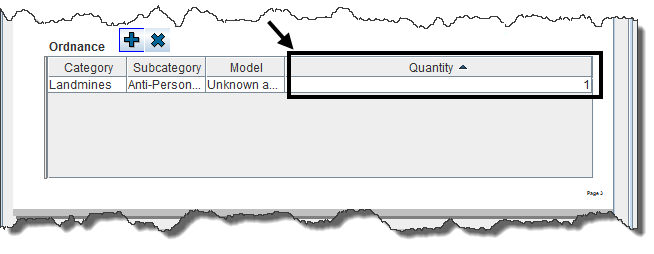
Ordnance table - Land
- To delete ordnance from your data entry form, select the row and click
 .
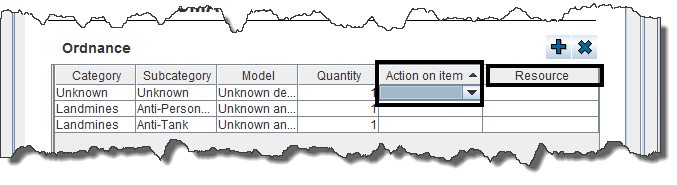
Ordnance table - Activity
 |
The Ordnance table has different columns in Accident, Activity and Land. |
Categories: