Check Attachments
From IMSMA Wiki
Revision as of 11:03, 9 November 2016 by
Alnaucler
(
talk
|
contribs
)
(Created page with "<ol> <li> Open the Command window and navigate to ''C:\IMSMAng\server\attachments''.
600px|center
<li> List the file names with the command ''dir /b...")
(diff) ← Older revision |
Latest revision
(
diff
) |
Newer revision →
(
diff
)
Jump to navigation
Jump to search
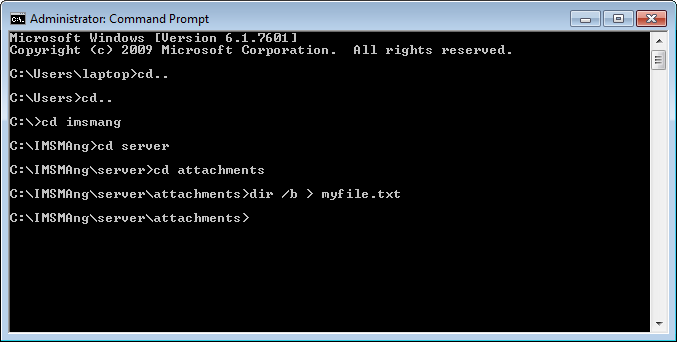
Open the Command window and navigate to
C:\IMSMAng\server\attachments
.
List the file names with the command
dir /b > myfile.txt
Use Navicat and import the file
myfile.txt
to table
test
Make sure the output file are not included in the table test i.e. myfile.txt
Template:NavBox Hub
Categories
:
Pages where template include size is exceeded
NoPublic
Navigation menu
Personal tools
Create account
Log in
Namespaces
Page
Discussion
English
Views
Read
View source
View history
More
Search
Navigation
Main page
Recent changes
Random page
Glossary
Wiki Policy
Portals
Using IMSMA NG
IMSMA NG Administration
IMSMA Remote Entry
Business Intelligence
GIS
Technical Notes
Training
Tools
What links here
Related changes
Special pages
Printable version
Permanent link
Page information