Check Attachments
In this example there are 4765 rows in the attachment table and there are 8660 files in the C:\IMSMAng\server\attachments folder.
- Open the Command window and navigate to C:\IMSMAng\server\attachments folder.
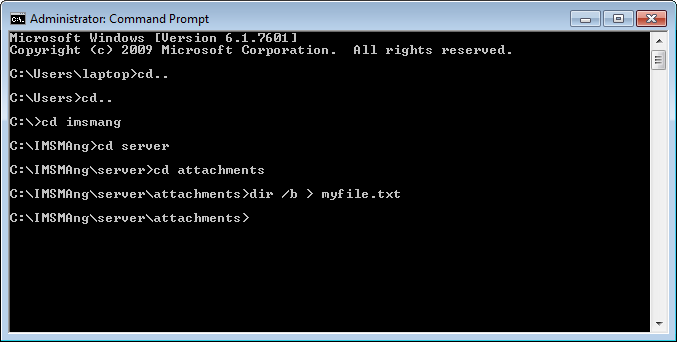
- List the file names with the command dir /b > myfile.txt
- Use Navicat and import the file myfile.txt to table test
- If needed delete the row with myfile.txt from the table test.
- Add field guid to table test (varchar 38).
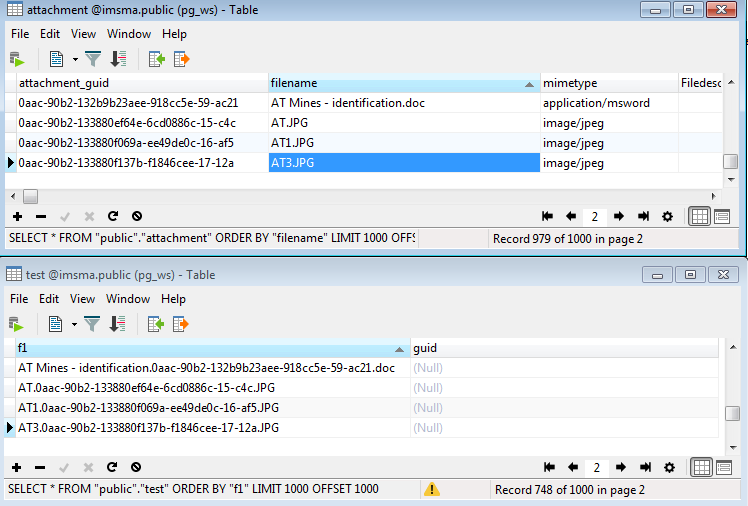
- Now the field guid table test should be populated. The value is part of the file name and therefore the UPDATE query has to be run for each case.

