Stop the IMSMA Server
Jump to navigation
Jump to search
 |
Before stopping the IMSMANG server, ensure that all IMSMANG client computers are disconnected from the server to prevent the loss of data or inconsistent data.
It is possible to stop the IMSMA server with a bat-file. |
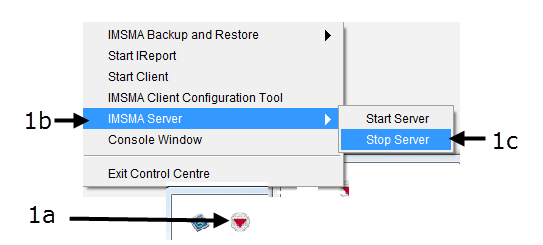
To stop the IMSMA server:
- Right-click the IMSMA Control Centre icon
 that is displayed in the TrayLauncher.
- Select the IMSMA Server option.
- Select the Stop Server option.
| |||||
Category: